
Product
One system for the phones, the receptionist and the customer.
Hey Quad answers the calls, takes the texts and the email, keeps the customer record and books the appointment, under one login and on one bill. Everything on this page is in the product today; we check it against the code, and anything unfinished is not on it.
Job 1 · Phones
One extension. Every device.
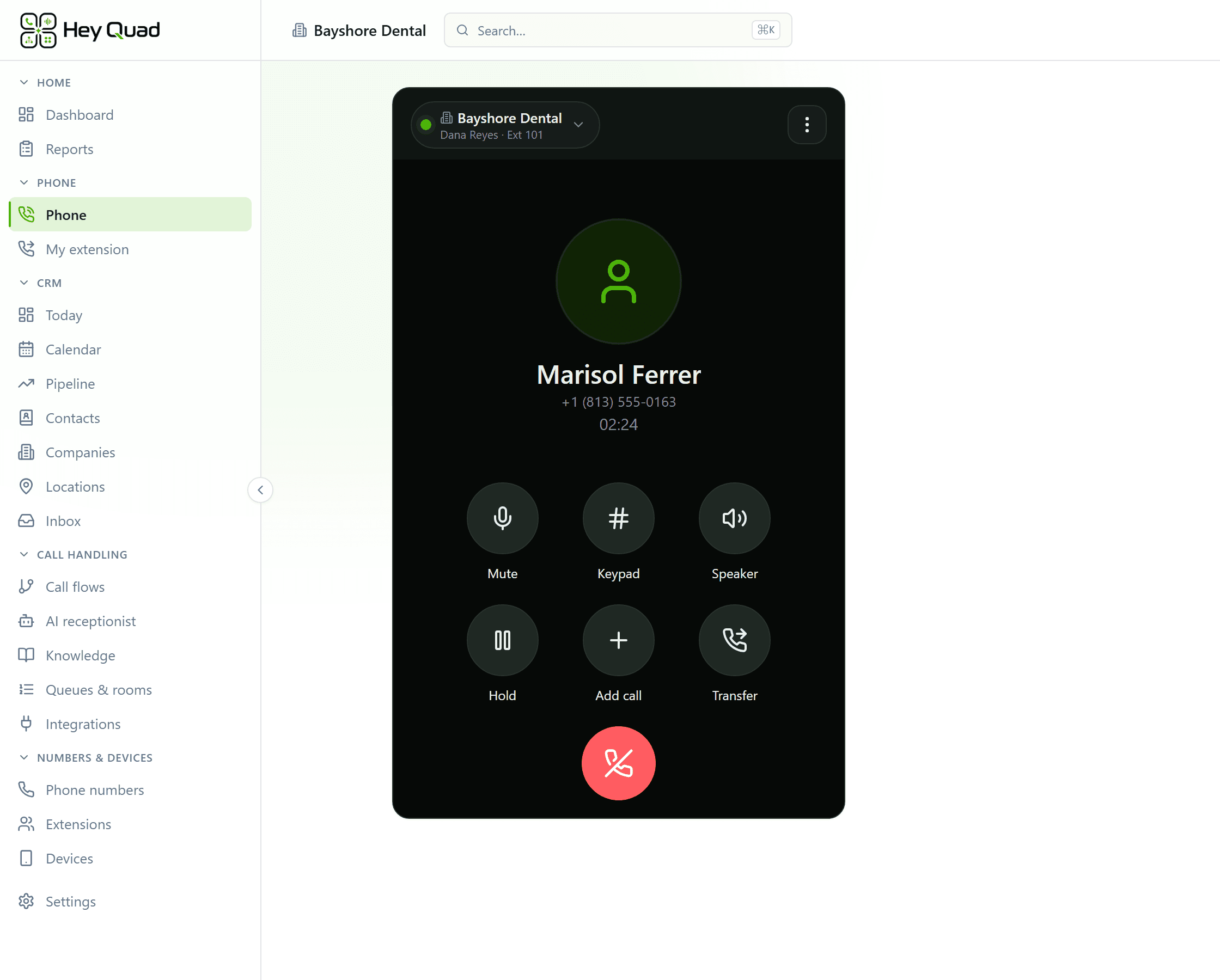
The business phone system: extensions, desk phones and apps, call queues, an auto attendant (phone menu) and call recording. Put someone on hold at the desk, pick them up in the browser, and it is the same call.
- The browser is a real phone. Hold, blind or warm transfer, three-way merge, voicemail and texts in any modern browser, with nothing to install.
- Desk phones that arrive set up. Available on request: Yealink, Polycom, Grandstream, Cisco, Fanvil and Snom. Phones we send are configured for your account before they ship, and hold and transfer work from the handset. Anything else that speaks SIP registers with credentials you can reveal and rotate.
- Move a live call. Switch a call to another of your devices, or move it to your desk phone mid-conversation.
- 911 with your address. Every number has a registered 911 address, so an emergency call carries where you are. Set an address per location, and update it yourself when you move.
- Ring order, per person. Ring all of somebody’s devices at once or in a sequence with your own delays. No answer goes to voicemail, an outside number or another extension.
- Your numbers, your caller ID. Buy local numbers in the console or bring yours: we handle the port with your current carrier. Each extension calls out from a number you own.
- A Windows app that updates itself. Signed and kept up to date automatically. Download it. An Android app and a Chrome extension are in testing and not in their stores yet; there is no iPhone app.
Emergency calling on an internet phone is not the same as on a landline. What it does and does not do is in our 911 disclosure, and we go through it with you before you go live.
Job 2 · AI receptionist
Every call answered, even at 8 pm.
An AI receptionist, not a voicemail box or an answering service: it answers every call, books, takes messages and hands off to a person, with a written briefing already on screen.
- It does things, not just talks. Books on your real calendar, takes a message, opens a ticket, captures a lead, checks whether you are open, and transfers to the right person, mid-call, with a hard limit on what it may touch.
- It learns your business from your business. Paste your policies, upload a PDF or Word file, or point it at your website. Afterwards it shows you the questions callers asked that it could not answer.
- Hours it respects. It knows which of your schedules is open, in which timezone, including holidays, and says so to the caller.
- A handoff with a briefing. When a person takes over, a card on their screen says who is calling, what they want and what the receptionist already did.
- Transcribed and summarized. Every receptionist call has a transcript and a written summary, lands in the Inbox as a conversation, and closes itself when nothing is left to do.
- Test it before callers do. Place a real test call to your own phone against a draft before you publish it.
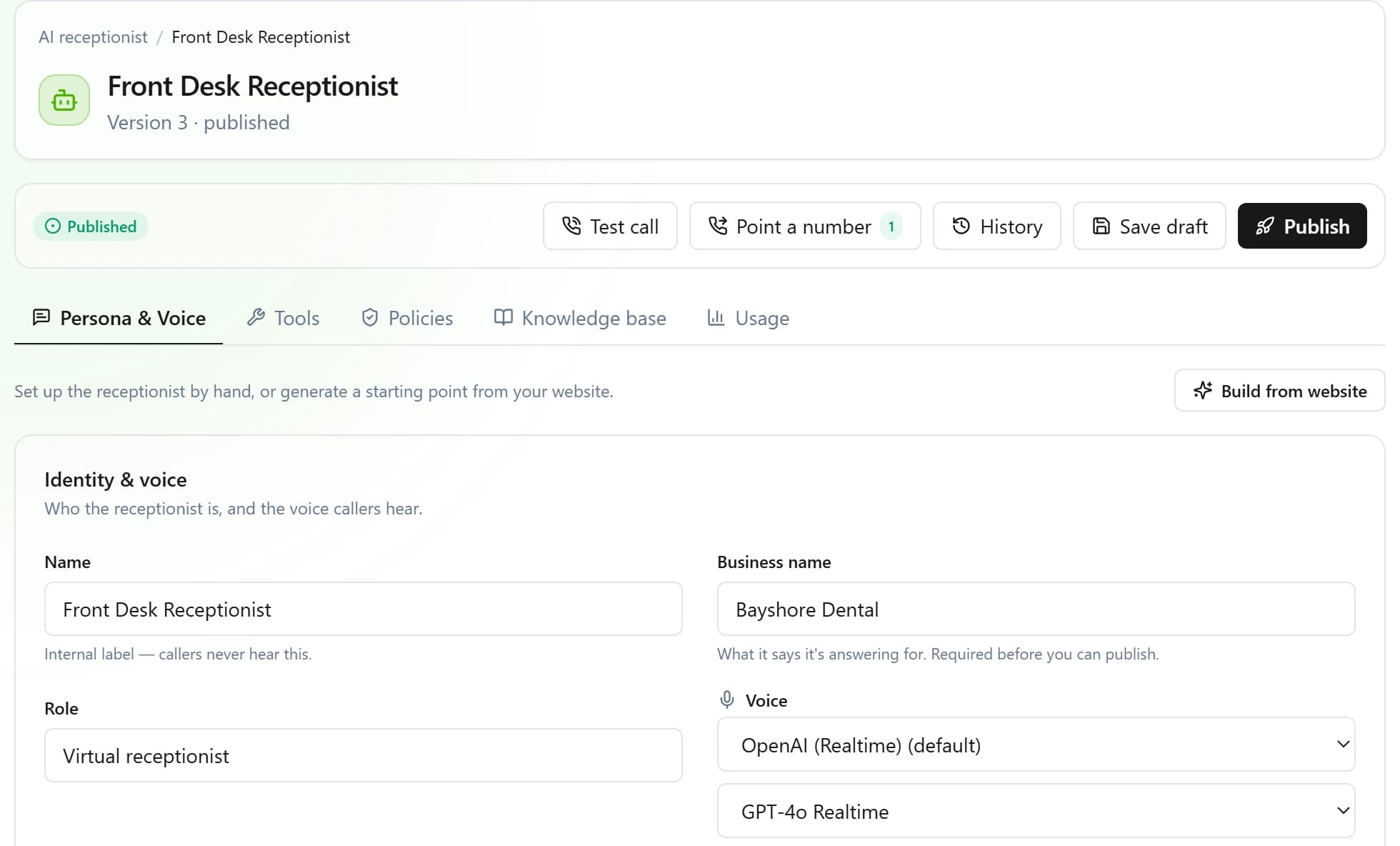
The AI receptionist is the one add-on: named tiers, each with its own pool of AI minutes, on the same quote as the seats. Booking and lead capture use the calendar and contacts that come with every seat. How the quote works. Hear it, and how it compares with an answering service: the AI receptionist.
Job 3 · Inbox & CRM
Calls, texts and email in one thread.
Every conversation with a customer lands in one shared Inbox and on one timeline, with the contact, the deal, the task and the appointment beside it. No second app to copy things into.
- One Inbox for every channel. Calls, voicemails, texts and receptionist conversations in one list, with a tab per channel, saved views, repeat callers grouped into one row, and Done with Undo.
- Email too. A shared team mailbox with drafts, labels, snooze and attachments, in the same Inbox as the calls. We switch it on for your account; sending from your own domain is not available yet.
- Texts as a team. SMS and MMS on your business number. Take a thread, assign it, reply with a saved reply, and see delivery live. STOP is honored on every path that can send.
- A CRM that is already there. Contacts and companies with your own fields, a deals pipeline, tickets, and one timeline per customer of every call, text, appointment and note.
- Tasks and follow-ups. Turn a conversation into a task with a reminder, or set a follow-up as you send a reply and hear back when the customer answers.
- Booking pages. Share a page where customers pick a time themselves, then reschedule or cancel from the link in their confirmation, with email and text reminders. The AI receptionist books into the same calendar.
- The record on screen before you say hello. As the phone rings a side panel shows the caller, their open tickets and their next appointment, and the receptionist’s summary if it took the call first.
- Carrier registration, guided. US carriers require business numbers to be registered before they text. We walk you through the brand and campaign, and it is a line on your quote.
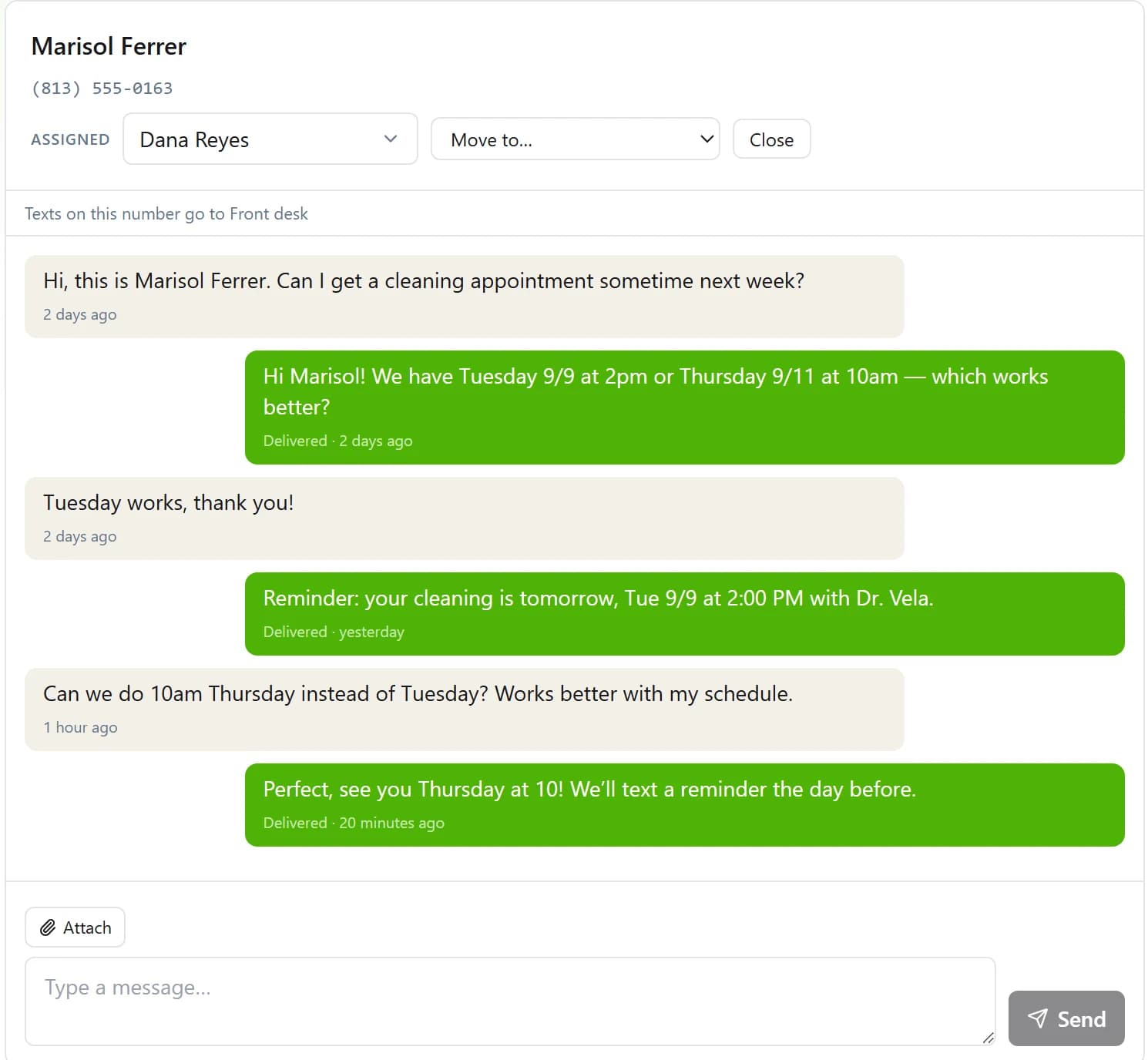
The Inbox, texting, contacts, tasks, booking and the screen pop come with every seat. Nothing to add on to answer a customer as a team.
Call flows & routing
Draw how calls move. Test it first.
Hours, menus, queues, ring groups and transfers on a canvas. Save a draft, place a test call to your own phone, then publish, and every version is kept.
- Flows you draw. Menus, time-of-day and holiday routing, ring groups and voicemail on a canvas. Draft, test-call, publish, and roll back to any version.
- Queues that tell callers where they stand. Ring everyone, take turns, or longest-idle first, with hold music and announcements of the caller’s place in line, and an overflow that goes somewhere instead of nowhere.
- Transfers anywhere. To a person, a queue, a flow, the AI receptionist, voicemail or an outside number, from the browser or the desk phone.
- Wrap-up built in. After-call time before the next call rings, and a queue of calls that still need notes.
- Your own prompts and music. Upload greetings and hold music to one library, or record a prompt by phone.
- Business hours that hold. As many named schedules as you have, each in its own timezone, with holiday exceptions. Voicemail lands in the right mailbox and is emailed with a transcript and a short summary.
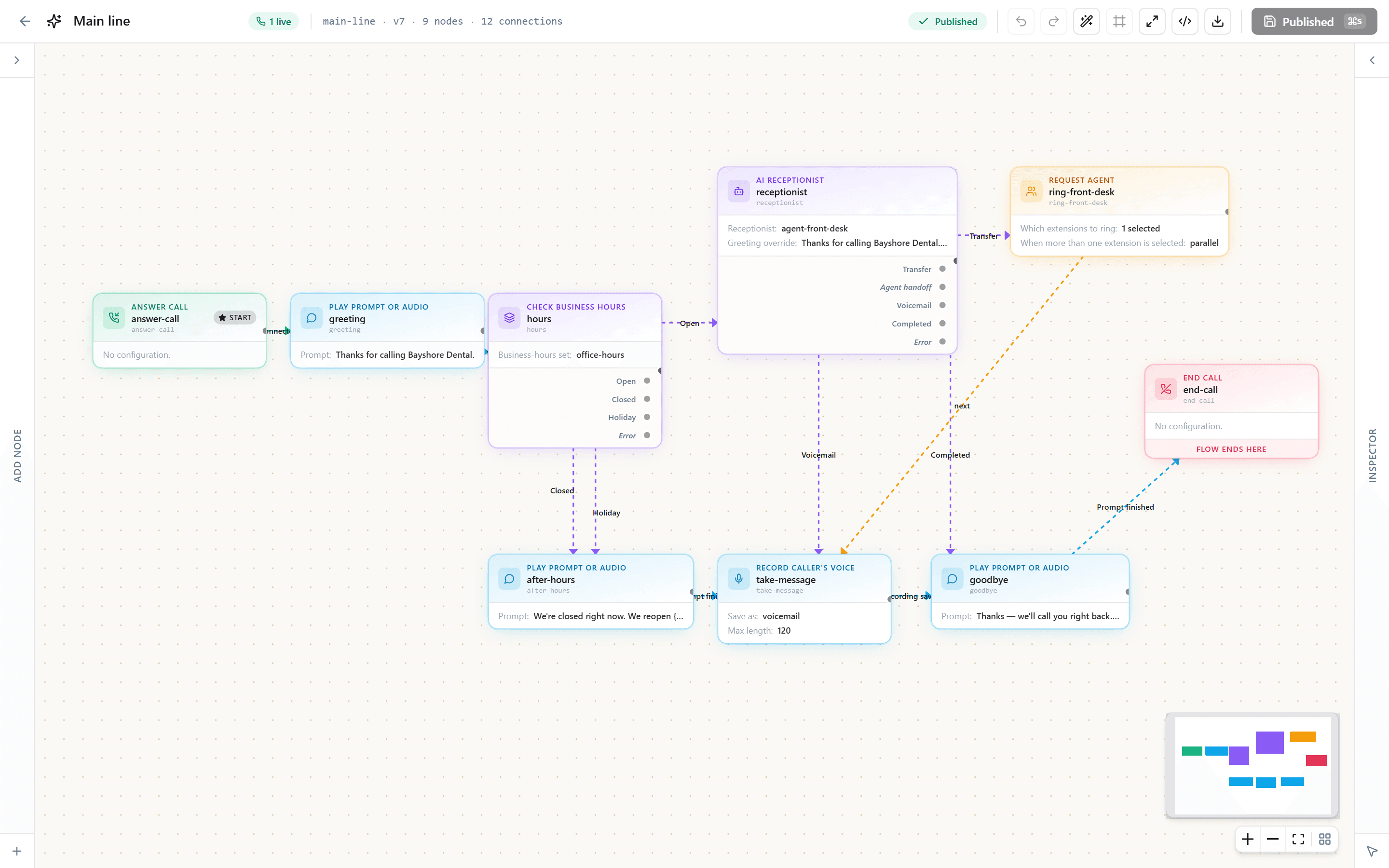
We build your first call flow with you as part of setup.
Reports & recording
Every call, accounted for.
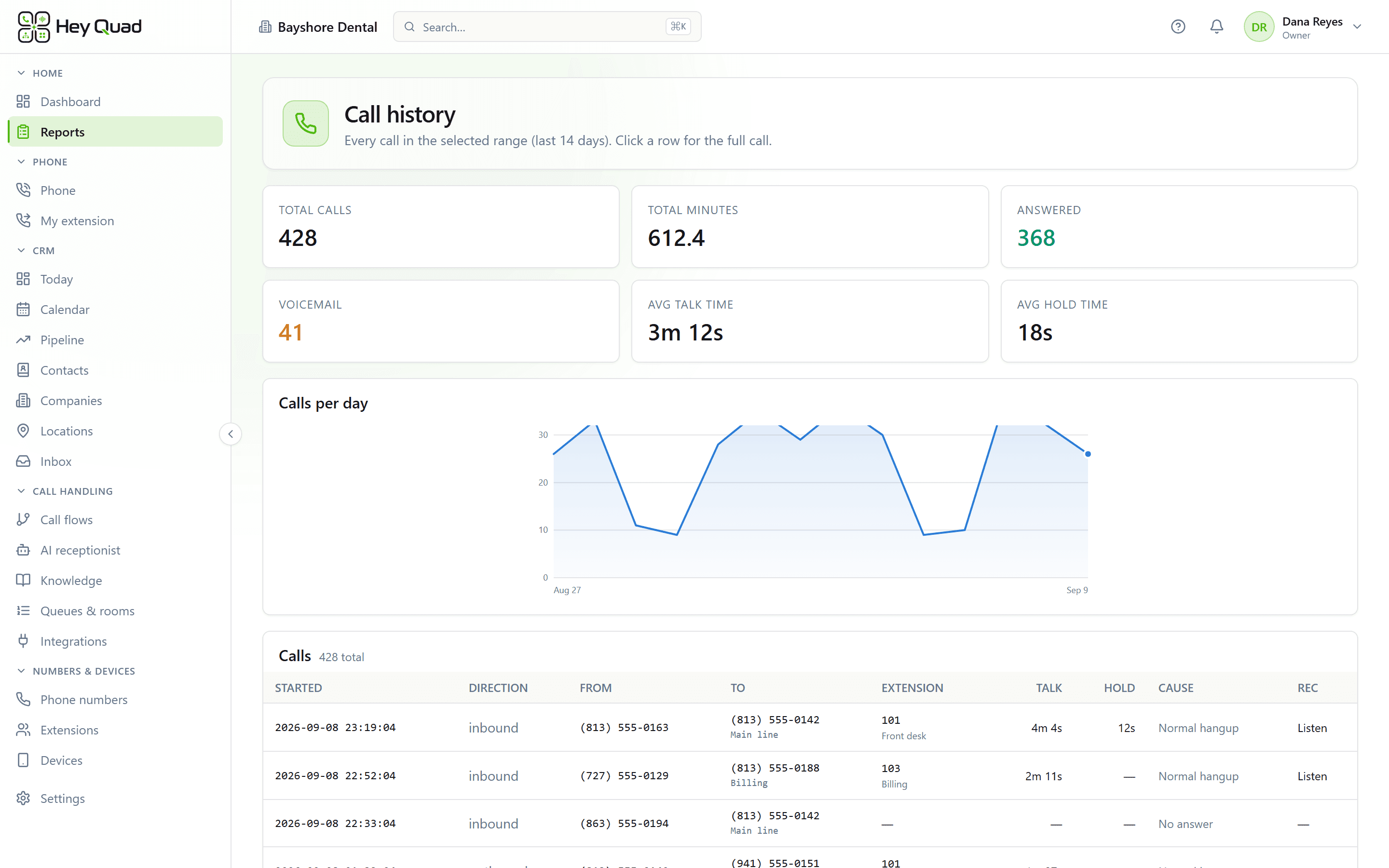
Reports built on the same call records your invoice is built from, because we meter from our own records rather than reading a carrier's back to you.
- The whole journey of a call. Every transfer and hop, who answered and for how long, plus queue, agent, AI receptionist, menu-funnel, usage and message reports. All of them export to CSV.
- Find the menu that loses people. The funnel report counts, step by step, who reached it, what they pressed and who hung up right there.
- Live, and on the wall. Who is ringing and who is on a call right now, on dashboards you arrange, with a read-only link for a screen in the office.
- Recording on your rules. Choose which calls are recorded, for the whole account, an extension or a queue, with a pause before someone reads out a card number. A recording is kept only once the caller has heard that the call is recorded.
- Deletion you set. Choose how long recordings, transcripts and messages live. The purge deletes the stored file first and the record second.
Apps, security & admin
The parts that are easy to promise and hard to do.
Written down, checked against the code, and short a few things on purpose.
- Passkeys and required MFA. Sign in with a passkey or an authenticator app, and require MFA for your whole team.
- Custom roles. Built-in roles plus your own, from 51 permissions grouped by area, so the person who answers phones is not the person who can change billing.
- Isolation the database enforces. Every table holding customer data runs Postgres row-level security in FORCE mode. The only path to a row is a transaction opened for one organization.
- Our own call platform. The software that answers, routes and bridges your calls is ours, on servers we operate, not a reseller portal.
- Connect any API you already have. Import an OpenAPI file, a Postman collection or a curl command, store the credentials encrypted, and call it mid-call from a flow. No prebuilt connectors yet.
- Connected AI apps. An admin can let an AI assistant such as ChatGPT or Claude read and draft in your Inbox through a consented connection. Off until you turn it on; the AI drafts and a person sends.
- Team admin. Mark people inactive and bring them back, read an audit log of sensitive actions, and export the whole organization whenever you want it.
- Help that knows where you are. Written guides, a reference page for every block in the flow editor, and a question mark in the console that opens the article for the page you are on.
Where it runs, every subprocessor, how backups work and what we do not have is on the security page. What shipped and when is in the changelog.
Get your itemized quote.
Every seat includes the Inbox, texting, the CRM, booking and call recording. The AI receptionist is a line on the same quote, desk phones are available on request, and every tax and fee for your address is on the quote too. Written, within one business day.
Call 657-HEY-QUAD: our AI receptionist answers, takes your details and puts you through.