
AI receptionist
An AI receptionist for small businesses that knows when to get you.
It answers your business line in your business’s name, books on your calendar, takes the message and hands the caller to a person by rules you set. It is part of a business phone system, not a voicemail box and not an answering service, and it says it is an AI on every call.
Our own line is answered by it. Call 657-HEY-QUAD ((657) 439-7823) and ask what we do, ask for a quote, or ask for a person.
Try it yourself
Don’t take our word for it. Talk to it.
The AI receptionist that answers our own line, live in your browser. It is the same product you would put on your line.
- Press Start talking and allow your microphone.
- Ask it something, or tap a suggested question.
- Read the transcript as you talk.
Live demo · in your browser · no phone needed
Talk to our AI receptionist
The same AI receptionist that answers our own line. Ask what Hey Quad does, ask for a quote, or try to stump it.
About a minute is plenty. Your browser will ask for your microphone; it's used only for this call. You're talking to an AI, for up to 5 minutes. The audio isn't recorded; the transcript is kept to improve the demo.
Not sure what to say? Tap one to start, then say it out loud:
Prefer your phone? Call 657-HEY-QUAD; the same receptionist answers.
What it does on the call
Each of these is an action it takes while the caller is on the line, not a thing it says it will do later.
Answers in your business’s name
On your number, from what you taught it: hours, services, address, what you charge to come out and what you do not do. Paste your policies, upload a PDF or Word file, or point it at your website.
Books on your real calendar
It offers times that are actually free, books the one the caller picks, and texts the confirmation. It can also find, move or cancel an appointment the caller already has.
Takes a proper message
Name, callback number and the message itself, sent by email, by text or to a voicemail box, and filed in your Inbox.
Knows when you are open
It checks the schedule you set, holidays and timezone included, and tells the caller the truth about when someone will be back.
Hands off to a person
It transfers to an extension, a queue or an outside number, or pages whoever is on call, by rules you set. The person who answers sees a briefing card: who is calling, what they want and what has been done.
Captures leads and follow-ups
A new lead, a ticket or a scheduled callback goes into the same account as your calls and texts, with a transcript and a written summary of every call.
What it will not do
These rules are added by the platform after your own instructions, so a prompt cannot switch them off.
Pretend to be a person
Every call it answers opens with a line it cannot skip: the caller is speaking with your business’s automated AI assistant, and the call is recorded and transcribed. Asked mid-call whether it is a person, it says it is an AI.
Make something up
No invented prices, names or appointment times. If neither a tool nor what you taught it has the answer, it says so and offers to take a message.
Say something worked when it did not
Every action reports back success or failure. If a booking or a transfer fails, it tells the caller and takes a callback number instead.
Read your records to a stranger
Actions on a caller’s own account can require a code texted to the number on file first. The check happens outside the AI, which only learns pass or fail.
It is also honest about what it is bad at: a noisy job site, two people talking at once, and anything you did not teach it. The longer version is in what an AI receptionist will and will not do.
Hours, hand-offs and the person who picks up
The receptionist answers every call to its number, day or night. What changes after hours is what it offers. You give it your schedules, holidays and timezone, and say which teams take transfers when they are closed.
- Open: it books, answers from what you taught it, and transfers to the right extension or queue.
- Closed: it takes a message or schedules a callback and tells the caller when to expect it, instead of transferring into an empty office.
- Urgent, by your definition: it pages whoever is on call and stays on the line with the caller while the page goes out.
- Anyone who asks for a person is offered one: a transfer when someone can take it, a message and a callback when nobody can.
When a person takes over, a briefing card on their screen says who is calling, what they want and what the receptionist already did, so the caller does not start over. Every call it answers has a transcript and a written summary in your shared Inbox.
How to set it up: hours, transfers and escalation.
AI receptionist vs answering service vs voicemail
Three ways to deal with the call nobody is free to take. Each is the right answer for somebody.
Who answers
- AI receptionist
- An AI, in your business’s name, saying it is an AI.
- Answering service
- A person at another company, reading your script.
- Voicemail
- Nobody. A greeting, then a beep.
What it knows
- AI receptionist
- What you taught it, and your calendar and contacts.
- Answering service
- Your script, and what the agent remembers of it.
- Voicemail
- Nothing.
Books an appointment
- AI receptionist
- Yes, into your calendar, with a text to confirm.
- Answering service
- Depends on the service and its access to your systems.
- Voicemail
- No.
Reaches a person
- AI receptionist
- Transfers or pages by your rules, with a briefing.
- Answering service
- Relays a message, or patches through if offered.
- Voicemail
- Only when someone plays the message back.
Where the record lands
- AI receptionist
- Your Inbox: transcript, summary and the contact.
- Answering service
- Their portal, an email or a text.
- Voicemail
- A recording in a mailbox.
Where it is better
- AI receptionist
- Routine calls at any hour, and the details written down.
- Answering service
- Judgement, empathy and a caller who wants a human voice.
- Voicemail
- Simple, and no one else ever speaks for you.
How it gets on your line
- Keep your number. We port it, or forward it while the port runs.
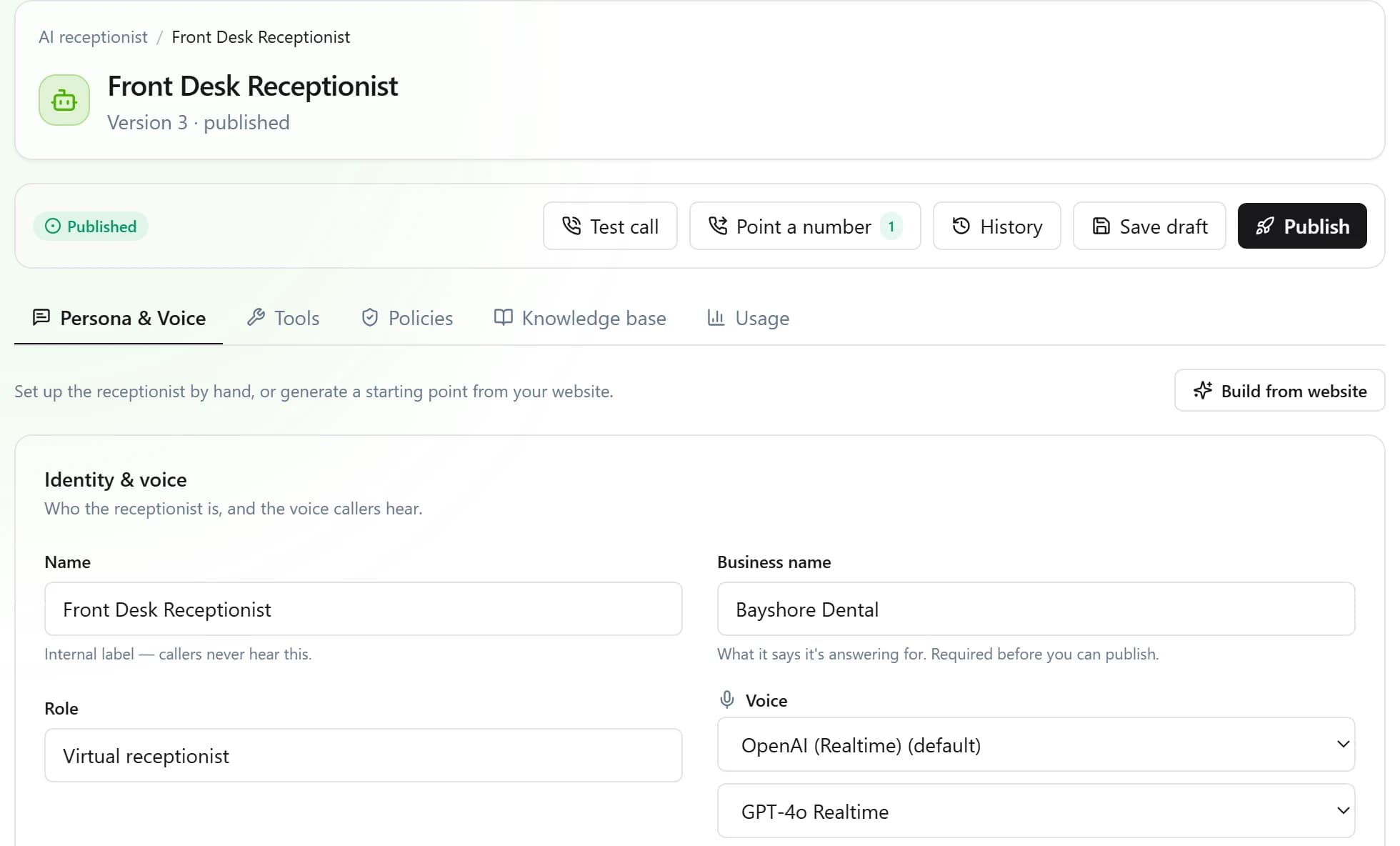
- Teach it the business: hours, services, the questions callers ask, and what it must never answer. Upload documents or point it at your website.
- Choose what it may do: book, take messages, transfer, page. Leave booking off at first if you would rather read some transcripts before you trust it.
- Place a test call against the draft, then publish. We do this part with you on a call.
What it costs. The AI receptionist is its own line on the quote, with its own pool of AI minutes, next to the seats for your phone system. Every tax and fee for your address is on the quote too. How the quote works.
Questions about the AI receptionist
- What is an AI receptionist?
- Software that answers your business calls with a natural voice, using the hours, services and answers you gave it. It can book, take messages and transfer, and on Hey Quad it runs on the same business phone system as your extensions and desk phones.
- Will callers know they are talking to an AI?
- Yes. Every AI-answered call opens by saying the caller is speaking with your business’s automated AI assistant and that the call is recorded and transcribed. You cannot turn that line off, and if a caller asks whether it is a person, it says it is an AI.
- Can a caller reach a real person?
- Yes, by the rules you set. It transfers to an extension, a queue or an outside number, or pages whoever is on call. When nobody can take the call, for example after hours, it takes a message and says when someone will call back rather than transferring into an empty office.
- Is it an answering service?
- It does the same first job, answering when nobody at the business can, without a person at another company reading your script. It books into your calendar and writes everything into your Inbox. A human answering service is still better at judgement calls; this hands those to your own people.
- What does it do after hours?
- The same number keeps being answered. It knows which of your schedules is open and tells callers the truth: it books, takes a message, schedules a callback, or pages the on-call phone for what you defined as urgent.
- Do I need a new phone number?
- No. Keep your number and we port it to Hey Quad, or forward it while the port runs. The receptionist answers the number you already have.
- How is it priced?
- It is its own line on your written quote, with its own pool of AI minutes, next to the seats for your phone system. We do not publish a price because every quote also itemizes the taxes and fees for your address.
- Can I try it before I buy?
- Yes. Call 657-HEY-QUAD and our own AI receptionist answers. Once you are set up, you can place a test call against a draft before your callers ever hear it.
For your kind of business
Get your itemized quote.
Tell us about your calls and we send a written quote within one business day: the phone system, the AI receptionist as its own line, and every tax and fee for your address. We set it up with you.
Call 657-HEY-QUAD: our AI receptionist answers, takes your details and puts you through.